The little untranslated details deserve attention, too.
Manage Magento storefront and Admin phrases in one place.
Draft, review, and publish when you’re ready.
Buttons. Checkout messages. Account labels. Admin screens.
Translate Pro gives your team control over the platform text customers and colleagues see every day.
Aa01 / AUTHOR
A home for every phrase.
Add the exact source phrase, choose its locale and store scope, and write the translation.
Search and filter everything in a familiar Admin grid.
“Customer Login”→“Logowanie klienta”
⇄02 / CONTROL
Draft first. Publish with care.
Saving is a draft, not a live change. Compare the published and proposed wording,
check the scope, then release your reviewed changes together.
Draft→Review→Published
⌘03 / DELIVER
PHP and JavaScript, in sync.
Publish PHP and RequireJS/Knockout overrides in one generation.
Versioned browser dictionaries keep the new wording connected to the right release.
js-translation.jsonversioned ✓
A WORKFLOW THAT MAKES SENSE
From “that’s not translated” to “that’s much better.”
Three deliberate steps. A clear view of what’s changing.
Take a look inside the real Magento Admin.
MAKE THE WORDING YOURS
A small edit. A better experience.
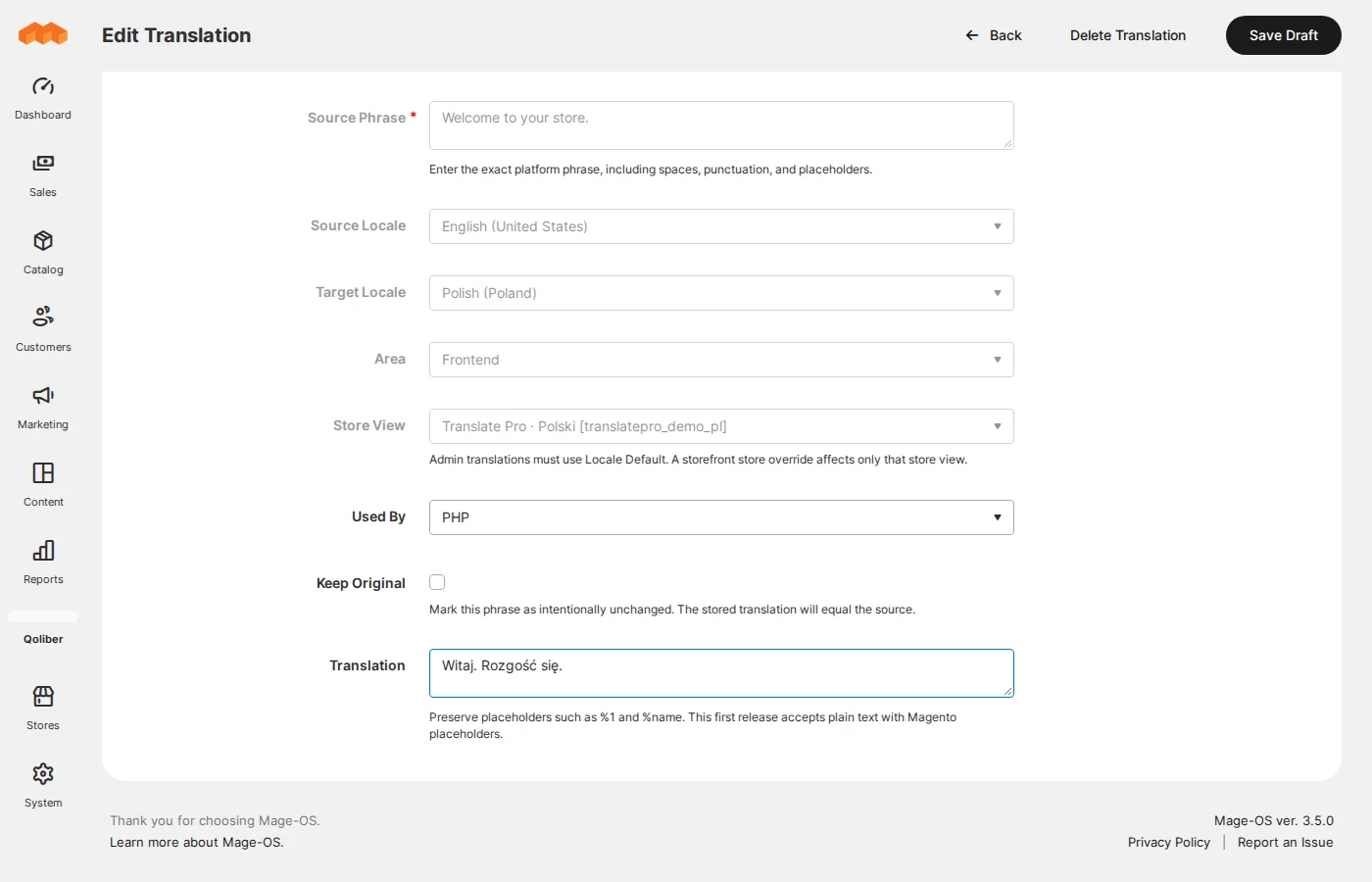
Choose the source text, target locale, area, and store view. Placeholder validation helps you
keep dynamic values intact.
Separate storefront and Admin scopes
PHP, JavaScript, or both
Revision checks protect concurrent edits
01 / 03
Actual Translate Pro Admin interface.
SEE WHAT WILL GO LIVE
No surprises. Just the right changes.
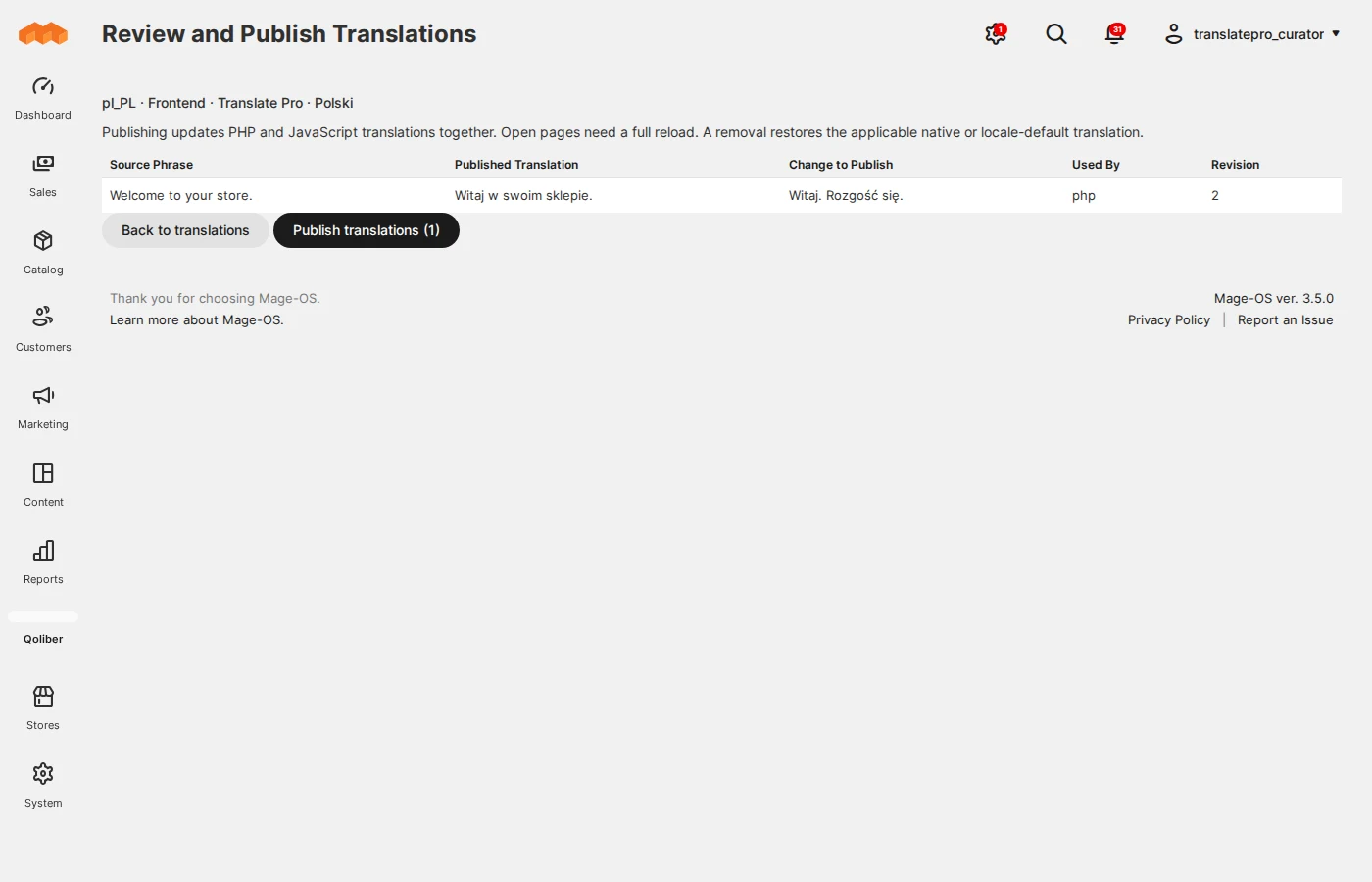
Review the current wording beside your draft. The review is tied to the exact revisions you
saw, so unseen edits cannot slip into a publication.
Side-by-side published and proposed text
Explicit locale and store scope
Separate edit and publish permissions
02 / 03
Review the exact changes before publication.
ONE CLEAR RELEASE
Publish once. See the difference.
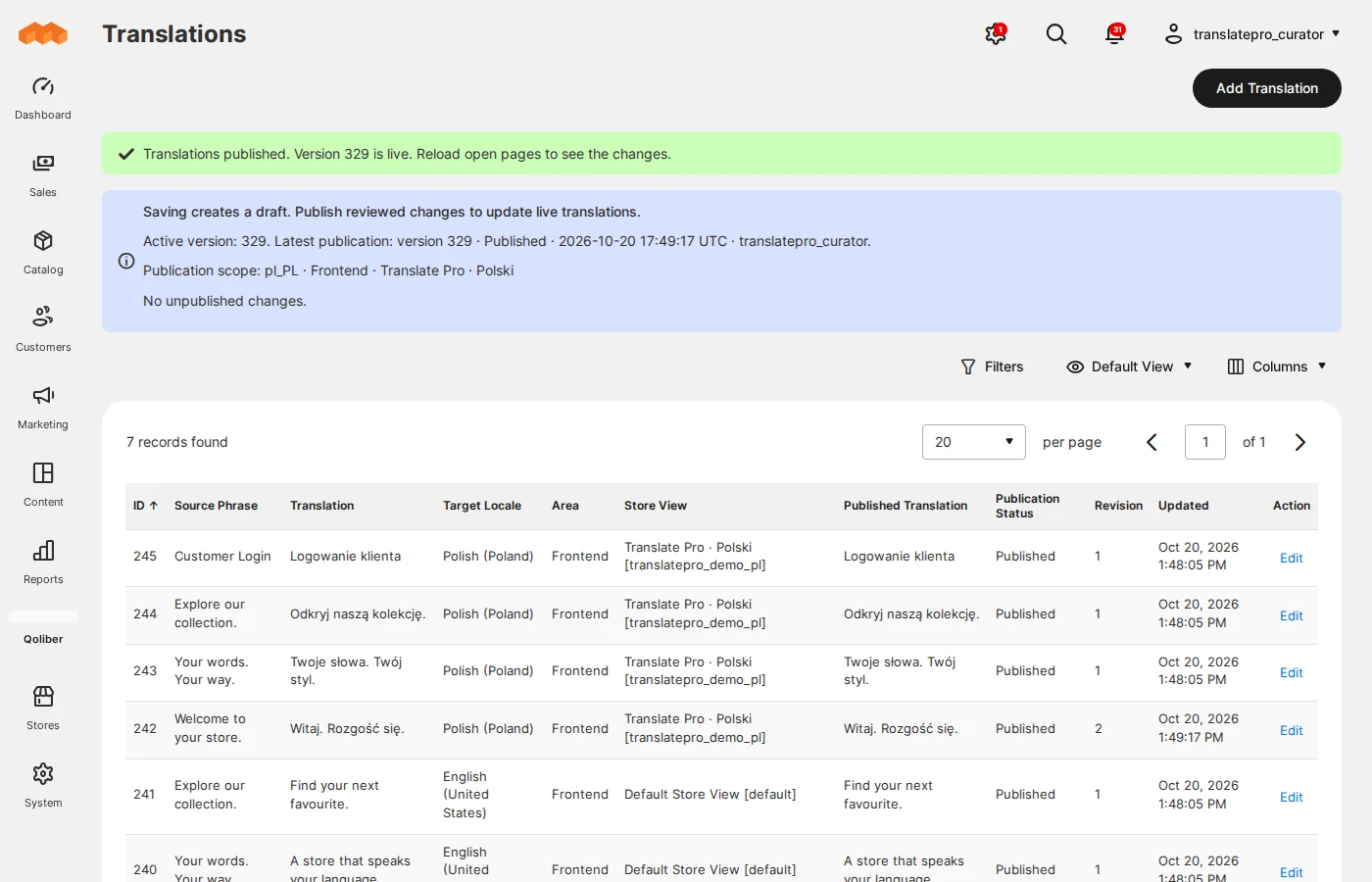
Activate one generation for PHP and browser translations. The status panel shows what is
live, who published it, and whether cache invalidation needs attention.
Immutable, versioned browser dictionaries
Store-specific wording takes precedence
Native translation fallback on delivery failure
03 / 03
Keep published values and pending work in view.
Explore at your own pace. No autoplay.
THIS IS THE REAL THING
Meet your words on the other side.
This example is rendered by the installed module. The English source phrase
has a published override in each demo locale. Switch store views to see the English and Polish versions.
PHP and the browser read the same active publication.
These are live phrase overrides. The surrounding page copy stays in English for this
guided demo.
THOUGHTFUL UNDER THE HOOD
Less friction. More control.
Ready for deployment workflows.
Default merge delivery applies overrides on top of the deployed native dictionary. Database-only storage
creates no dictionary files at runtime.
Built around your store views.
Set a locale default, then refine the wording for a specific store view. Admin translations stay separate
from storefront phrases.
Clear boundaries.
This demo supports plain-text platform phrases and Magento placeholders. Product descriptions, category
content, and CMS body content stay outside its scope.
A FEW GOOD QUESTIONS
Good to know before you explore.
Clear answers about the module you can try today.
What is Qoliber Translate Pro?+
Translate Pro is a platform translation management module for Magento and MageOS. It lets a team add,
edit, review, and publish storefront and Admin phrase overrides, including PHP and RequireJS/Knockout text.
Does saving a translation change the live store?+
No. Saving creates a draft. A user with publish permission reviews the changes and publishes them
explicitly. Open storefront and Admin pages need a full reload to see the new version.
How are JavaScript translations refreshed?+
Each publication creates dictionary URLs containing a generation and content hash. In the default merge
mode, the browser applies these overrides on top of Magento’s deployed native dictionary. Draft edits do not
change live URLs.
Can different store views use different wording?+
Yes. Locale defaults apply to matching store views, and a store-specific override takes precedence. A
store-specific translation must use that store view’s configured locale.
Does it translate product or CMS content with AI?+
No. The current module focuses on platform phrases. Product, category, and CMS content translation is
outside its scope. AI providers, missing-phrase discovery, scanning, import/export, and a Hyvä browser
adapter remain planned features, not capabilities of this demo.
What platform is this demo running?+
This demo runs MageOS 3.5.0 with PHP 8.4. Adobe Commerce is a compatibility target, with deployment and
storage considerations documented; a full licensed Commerce runtime validation remains pending. Please
confirm your exact platform and theme with Qoliber.
MAKE YOUR STORE SOUND LIKE YOU
Small words. A better store experience.
Let’s talk about translation management for your Magento project.